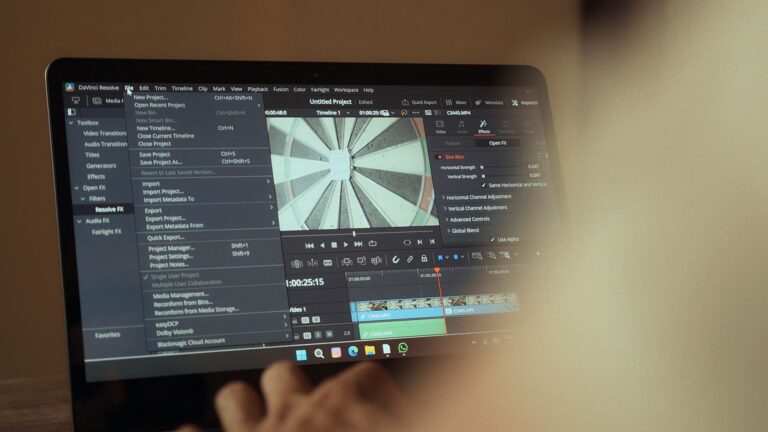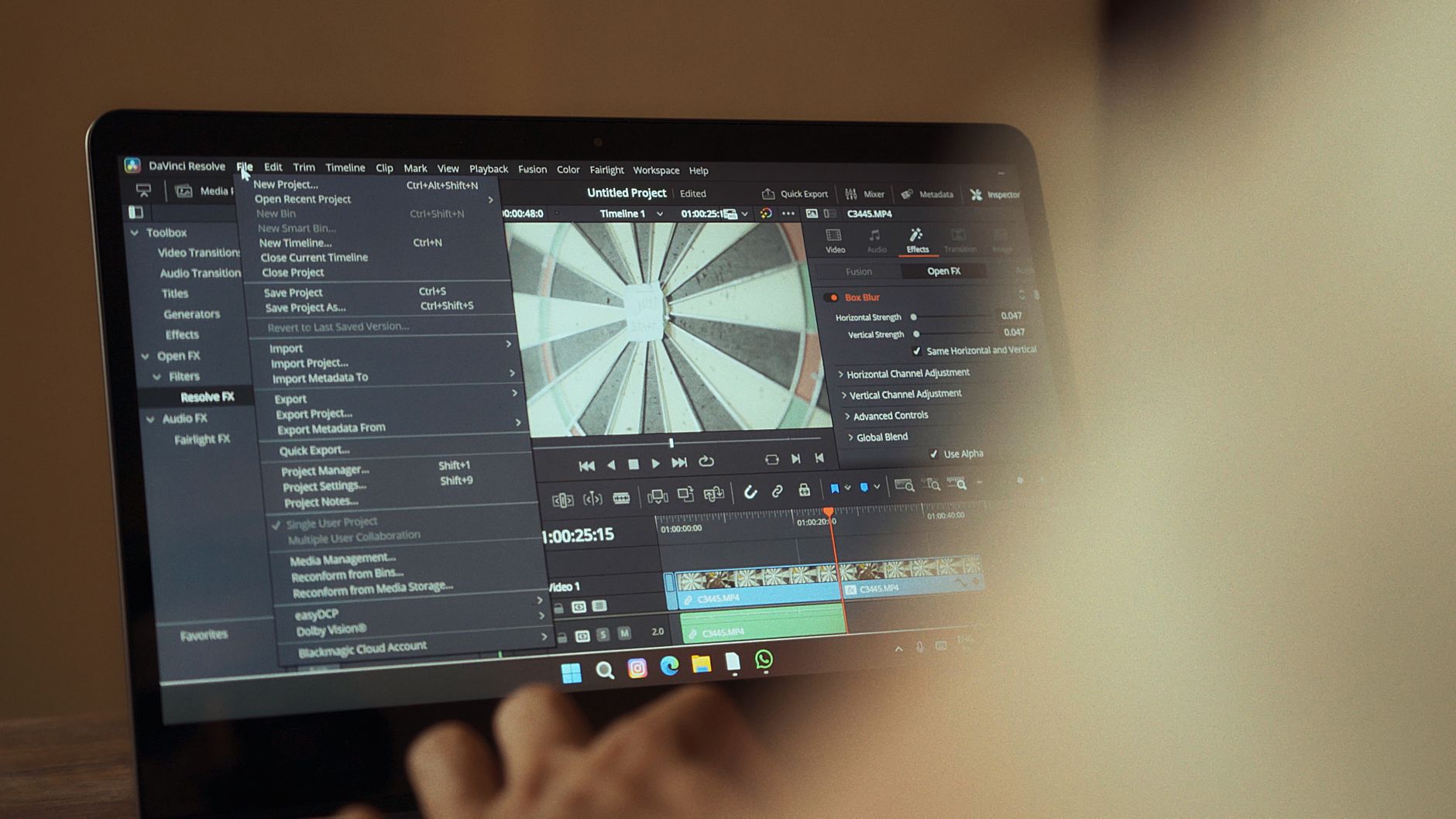
DaVinci Resolve touch support is now available with the release of version 21.2, offering an improved experience for users of Apple’s first Touch MacBook Pro.
What’s New in DaVinci Resolve 21.2?
DaVinci Resolve 21.2 has officially been released, bringing exciting new features and enhancements that cater specifically to users of Apple’s first Touch MacBook Pro. This update introduces touch support, a game-changing addition that enhances the overall user experience for editors and colorists alike.
Among the most notable improvements in this version are:
- Touch Gesture Integration: Users can now utilize multi-touch gestures for various editing functions, making the workflow more intuitive and efficient.
- Enhanced Performance: Optimizations have been made to ensure smooth performance on the Touch MacBook Pro, allowing users to work with high-resolution projects seamlessly.
- New Touch-Based Controls: The interface has been updated to include touch-friendly controls, enabling quicker access to essential tools and features.
- Improved Color Grading Tools: Users will find advanced color grading options that take advantage of touch inputs, providing a more tactile approach to adjustments.
These enhancements are particularly beneficial for professionals who rely on precise editing and color grading capabilities. With the introduction of DaVinci Resolve touch support, users can now harness the power of touch technology to elevate their creative projects to new heights.
How Touch Support Enhances Editing
The introduction of DaVinci Resolve touch support has significantly transformed the editing experience for users of Apple’s first Touch MacBook Pro. This feature allows editors to take full advantage of the touch-enabled interface, making the editing process more intuitive and fluid. With the ability to swipe, pinch, and tap directly on the screen, users can navigate timelines and adjust settings with remarkable ease.
One of the most notable enhancements is the ability to manipulate clips and transitions directly with touch gestures. This provides a tactile experience that traditional mouse and keyboard setups cannot replicate. Editors can now make precise adjustments without the need for complex shortcuts, allowing for a more streamlined workflow.
- Gesture Controls: Users can quickly zoom in and out of timelines or scrub through footage using simple finger movements.
- Custom Touch Bar: DaVinci Resolve has integrated a customizable touch bar, where users can set their favorite tools for instant access.
- Enhanced Precision: Touch support offers greater precision when selecting and trimming clips, helping to refine edits seamlessly.
This update not only enhances the functionality of DaVinci Resolve but also aligns perfectly with the capabilities of the MacBook Pro’s touch interface. As editors embrace this technology, the future of video editing looks more dynamic and engaging than ever before.
User Reactions to the Update
The release of DaVinci Resolve 21.2 has sparked a wave of enthusiasm among users, particularly those utilizing Apple’s first Touch MacBook Pro. Many editors are praising the new touch support as a game-changer for their workflow, allowing for more intuitive interactions with the software.
Users have taken to social media and forums to share their experiences, highlighting the following aspects:
- Enhanced Efficiency: Several users reported that the touch support feature allows for quicker navigation through timelines and tools, reducing the time spent on editing tasks.
- Improved Precision: Many creators noted that the ability to use touch gestures provides a level of precision that traditional mouse controls often lack.
- Creative Freedom: Some users expressed excitement at the prospect of a more tactile editing experience, claiming that touch support encourages experimentation and creativity.
- Learning Curve: While most reactions have been positive, a few users mentioned a slight learning curve as they adjusted to the new interface and features.
Overall, the response to DaVinci Resolve touch support has been overwhelmingly positive, with many editors eager to incorporate the new functionality into their projects. This update appears to be a significant step forward for editing on the MacBook Pro, showcasing the potential of touch technology in professional software.
Comparing DaVinci Resolve with Other Software
When evaluating DaVinci Resolve against other video editing software, the introduction of touch support in version 21.2 stands out as a significant enhancement, particularly for users of Apple’s first Touch MacBook Pro. This feature not only streamlines editing processes but also aligns with contemporary trends in user interface design.
Many professionals often compare DaVinci Resolve with industry staples like Adobe Premiere Pro and Final Cut Pro. Each of these platforms has unique strengths:
- Adobe Premiere Pro: Renowned for its extensive integration with other Adobe products, it offers a robust ecosystem for creative professionals.
- Final Cut Pro: Optimized for Mac users, it boasts excellent performance and a user-friendly interface, especially for those who prefer working within the Apple environment.
- DaVinci Resolve: Known for its powerful color grading capabilities, the addition of touch support elevates its usability, making it an attractive option for MacBook Pro users.
While DaVinci Resolve excels in color correction and collaborative features, the new touch support sets it apart by catering to a more tactile editing experience. As users increasingly seek more intuitive ways to interact with their software, DaVinci Resolve’s touch support could redefine editing workflows and enhance creative possibilities.
Tips for Using Touch Features
With the introduction of touch support in DaVinci Resolve 21.2, users can take advantage of several features to enhance their editing experience on the MacBook Pro. Here are some tips for making the most of these new touch functionalities:
- Familiarize Yourself with Gestures: Spend some time learning the various touch gestures that are supported. Pinch to zoom, swipe to navigate, and tap to select can significantly streamline your editing process.
- Customize Your Workspace: Adjust your workspace layout to utilize touch controls effectively. Placing frequently used tools within easy reach allows for smoother transitions between tasks.
- Use Multi-Touch Features: Take advantage of multi-touch capabilities to manipulate clips, timelines, and effects with greater precision. This can enhance your workflow efficiency when editing complex projects.
- Practice Precision: While touch support provides a new way to interact with the software, it’s important to practice precision when making adjustments. Use the zoom feature to get a closer look at finer details for accurate edits.
- Stay Updated: Regularly check for updates and new features related to touch support, as the developers may continue to enhance this functionality over time.
By incorporating these strategies into your editing routine, you can fully leverage the advantages of DaVinci Resolve touch support and transform your workflow on the MacBook Pro.
Future Updates and Expectations
The recent release of DaVinci Resolve 21.2, featuring touch support for Apple’s First Touch MacBook Pro, has set the stage for exciting future updates and enhancements. As users become more accustomed to the touch interface, developers are likely to focus on refining this feature to improve overall performance and ease of use.
In upcoming updates, users can anticipate:
- Enhanced Touch Gestures: Additional touch gestures may be introduced to facilitate quicker navigation and editing, allowing for a more intuitive workflow.
- Customization Options: Users may have the opportunity to personalize touch settings, tailoring the experience to fit their specific editing styles and preferences.
- Integration with Other Software: Future versions could include better compatibility with third-party plugins and tools, further amplifying the capabilities of DaVinci Resolve touch support.
- Improved Performance: Continuous updates will likely focus on optimizing the touch features for smoother operation, especially during high-intensity editing sessions.
As the demand for touch-enabled editing solutions increases, Blackmagic Design is expected to prioritize user feedback and incorporate new features based on the community’s needs. With the potential for significant advancements in touch support and related functionalities, DaVinci Resolve is poised to remain a leading choice for creative professionals who value innovative editing tools.
Conclusion: Is It Worth the Upgrade?
In conclusion, the introduction of DaVinci Resolve touch support marks a significant advancement for users of the MacBook Pro, particularly those who appreciate the versatility and functionality that touch capabilities bring to video editing. This update not only enhances the user experience but also positions DaVinci Resolve as a more attractive option compared to its competitors.
The benefits of the new touch features are substantial, allowing for greater precision and fluidity during editing sessions. Users can manipulate timelines, add effects, and navigate through their projects with a natural ease that was previously unavailable. This improvement is especially valuable for professionals who require efficiency and speed in their workflows.
Many users have reported a positive shift in their editing processes since adopting the new version, with the touch support proving to be both intuitive and efficient. However, as with any software update, it is essential to consider whether the investment in upgrading is justified based on individual needs and usage patterns.
Ultimately, for those who regularly work on a MacBook Pro and are looking for enhanced functionality, the addition of DaVinci Resolve touch support can be seen as a worthy upgrade. It opens up new creative possibilities and streamlines the editing process, making it an attractive choice for both novice and experienced users alike.
The latest update introduces enhanced DaVinci Resolve touch support, making it easier for MacBook Pro users to navigate the software. With improved responsiveness, DaVinci Resolve touch support allows for a more intuitive editing experience.
Photo by Houssam benamara on Pexels
Read the original
Related reading
- Motorola Signature 27 release: Is It Worth the Hype?
- Samsung Google Play update: Is It the Best or Worst Change?
- Is Android XR Intelligent Eyewear the Best Smart Glasses?
About the Author